
Remote Access Trojan Attack on Opening PDF
The Dead#Vax malware campaign uses sophisticated phishing techniques, disguising VHD files as PDFs to install the Asyncrat remote access trojan. This stealthy RAT can take full control of your PC, ...
MALWARE ATTACK
2/10/20265 min read
Remote Access Trojan Attack on Opening PDF
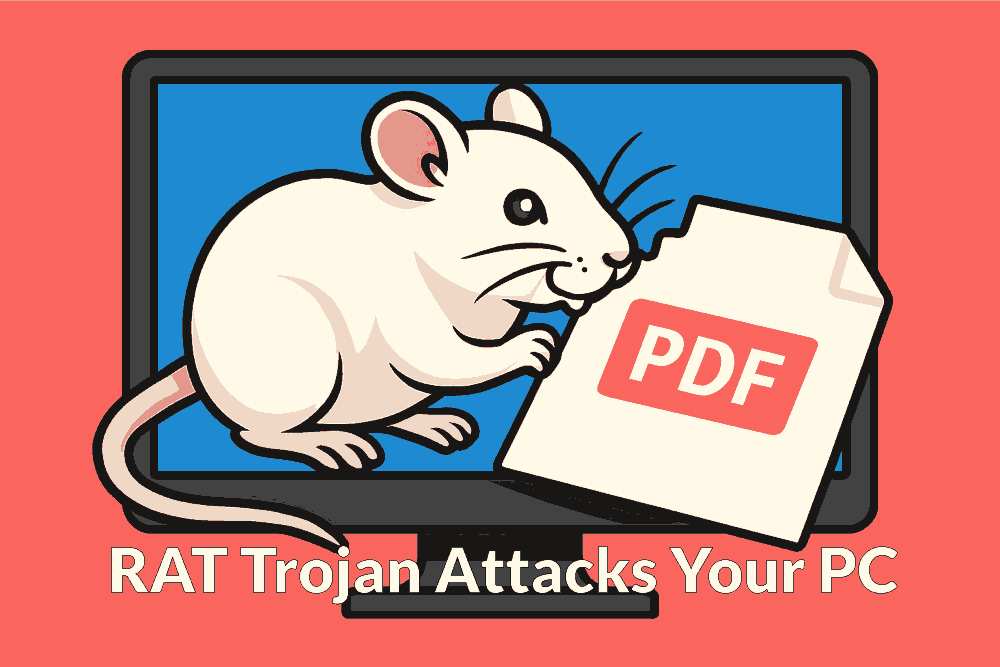
The DEAD#VAX malware campaign is a sophisticated phishing attack that targets users who unknowingly open malicious PDF files. These aren’t ordinary-looking PDF documents are actually virtual hard disk (VHD) file disguised as PDFs, and hosted on decentralized networks like IPFS (Inter Planetary File System). When a user opens one of these fake PDFs, Windows mounts the VHD, silently installing AsyncRAT, which is a powerful Remote_Access_Trojan (RAT) also called AsyncRAT backdoor Trojan.
This AsyncRAT Remote Access Trojan gives attackers full control over the victim’s PC, allowing them to monitor activity, steal data, and manipulate files remotely. What makes DEAD#VAX especially dangerous is its stealth: it uses in-memory shellcode injection and avoids dropping decrypted binaries to disk, making it nearly invisible to traditional antivirus tools. But it cannot avoid detection by Malwarebytes, which has real-time behavioral analysis always on, which catches any Remote Access Trojan in milliseconds, well before they do any harm to your PC.
The AsyncRAT Remote Access Trojan infection chain is cleverly designed to appear legitimate at every step, bypassing casual scrutiny and security defenses. Users should be cautious with unexpected PDF attachments, especially those labeled as invoices or purchase orders. We strongly recommend installing Malwarebytes on all your devices to prevent harm to your PC, Laptop, Tablet, and Phones from Trojans (including RAT), Malware, Spyware, Rootkits, Ransomware, Browser Hijackers, Keyloggers, and Viruses, etc..
Watch this Educational Video on how a hacker can install a AsyncRAT Remote Access Trojan and Take Control of your Devices, when you open the Wrong PDF file.

How the DEAD#VAX Remote Access Trojan (RAT) works, how it affects PCs and Phones
1. What is Dead#Vax and How It Attacks PCs
DEAD#VAX is a stealthy malware campaign that tricks users into opening what looks like a regular PDF file, often labeled as an invoice or purchase order. But instead of a document, the file is actually a Virtual Hard Disk (VHD) hosted on decentralized networks like IPFS. When opened on a Windows PC, the system mounts the VHD and silently installs AsyncRAT, a Remote Access Trojan. This AsyncRAT gives hackers full control over your computer, allowing them to Spy on you with a Spyware, Steal your Sensitive Data and files, log keystrokes using KeyLoggers, and even manipulate your system remotely. The attack is cleverly designed to look legitimate at every step, making it hard for casual users or even some antivirus programs to detect unless you are using robust software like VIPRE_Antivirus. Because the Remote Access Trojan runs in memory and avoids writing files to your hard disk, it bypasses many traditional security tools. This makes DEAD#VAX especially dangerous for businesses and individuals who rely on email attachments for daily operations.
2. How Dead#Vax Remote Access Trojan can Affect Phones
While DEAD#VAX AsyncRAT Remote Access Trojan primarily targets Windows PCs, phones are not entirely safe. If a user downloads and opens a malicious PDF file on their phone, especially on Android devices that allow sideloading, it could trigger similar remote access trojan behavior. Though iPhones are more locked down, Android phones can be vulnerable if users install apps from unknown sources or open files with elevated permissions. Remote Access Trojan could attack using social engineering to convince users to open these disguised PDFs, which could contain links or scripts that redirect to malicious apps or websites. Once infected with the Remote Access Trojan, the phone could be used to spy on messages, record audio, steal credentials, or track location. The risk is lower than on PCs, but not zero. Users should avoid opening suspicious attachments on mobile devices, especially if they’re labeled as invoices or documents from unknown senders. Keeping your phone’s operating system and apps updated is also crucial to patch known vulnerabilities.
3. What Happens After Remote Access Trojan Infection
Once DEAD#VAX infects a system, the AsyncRAT Remote Access Trojan gives attackers full remote access. They can view your screen, log your keystrokes, steal passwords, and even activate your webcam or microphone. The malware operates silently, often without any visible signs. You might notice your system slowing down, strange network activity, or unknown programs running in the background. But in many cases, users remain unaware until serious damage is done, like stolen bank credentials or compromised business data. The AsyncRAT can also spread laterally across networks, infecting other devices. It may disable security tools, block updates, or create backdoors for future attacks. Because it runs in memory and avoids writing files to disk, it’s hard to detect using traditional antivirus software. This makes it essential to use advanced threat detection tools and monitor your system for unusual behavior. If you suspect an infection, disconnect from the internet immediately and seek expert help.
4. What to Do if Your Device is Remote Access Trojan infected
If you suspect your PC or phone is infected by DEAD#VAX or any Remote Access Trojan, act fast. First, disconnect the device from the internet to prevent further AsyncRAT remote access trojan attack. Do not open any more files or emails. Use a trusted malware removal tool like Malwarebytes Offline to scan your system. If the tool detects AsyncRAT or similar Remote Access Trojan threats, follow its instructions to quarantine and remove the malware. Change all your passwords, especially for banking, email, and social media, using a clean device. Notify your contacts if you think your email or messaging apps were compromised. If the infected device is part of a business network, alert your IT team immediately. They may need to isolate affected systems and perform forensic analysis. Avoid reinstalling backups unless they’re verified clean. In severe cases, a full system wipe and reinstall may be necessary to ensure complete removal.
5. How to Prevent DEAD#VAX Remote Access Trojan Attacks
Prevention is key to preventing attacks from AsyncRAT Remote Access Trojans. Never open email attachments from unknown senders, especially if they’re labeled as invoices, purchase orders, or urgent documents. Check the file extension, real PDFs end in “.pdf,” not “.vhd” or other formats. Disable automatic mounting of virtual drives, if possible. Keep your operating system and software always up to date to patch known vulnerabilities. Use strong, unique passwords and enable two-factor authentication wherever possible. Install reputable antivirus and anti-malware tools like Malwarebytes that offer real-time protection. Educate yourself and your team about phishing tactics, because many attacks rely on human error. Avoid downloading files from decentralized networks unless you trust the source. Use email filters to block suspicious attachments and links. Regularly back up your data to an external drive or Cloud_Backup Service, and verify that backups are clean. Finally, monitor your system for unusual behavior, such as network spikes or unknown processes, which could indicate a hidden Remote Access Trojan.
6. How Malwarebytes can help
Malwarebytes is the most popular and trusted anti-malware tool in the world today, which offers robust protection against Remote Access Trojans like AsyncRAT. Malwarebytes uses advanced behavioral analysis and heuristic scanning to detect threats that traditional antivirus software might miss. Because DEAD#VAX operates in memory and avoids writing files to disk, Malwarebytes’ real-time protection is especially valuable. It can identify suspicious activity, block malicious scripts, and quarantine threats before they cause harm. Malwarebytes also updates frequently to stay ahead of emerging threats, including stealthy campaigns like DEAD#VAX AsyncRAT Remote Access Trojan. Its user-friendly interface makes it accessible for non-technical users, while offering deep customization for IT professionals. If you accidentally open a malicious file, Malwarebytes can scan your system, remove the Remote Access Trojan (RAT), and help restore Security. Malwarebytes also offers browser protection to block Phishing sites and malicious downloads. For businesses, Malwarebytes provides Endpoint_Protection and centralized management, making it a powerful tool in defending against modern cyberattacks.
Cyber Security Threats
Malwarebytes Premium
Protect all your devices from all Malware and Viruses
© 2025. All rights reserved.