
Beware of Fake FileZilla Websites - Stay Safe
Fake FileZilla websites are tricking unsuspecting users into downloading malware-infected versions of the popular FTP client. Protect yourself by downloading FileZilla only from the official site.
MALWARE ATTACK
3/10/20263 min read
Fake FileZilla Website Downloads Malicious Files
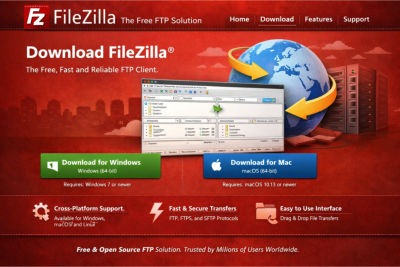
Fake FileZilla websites are tricking users into downloading malware-infected versions of the popular FTP client. These trojanized downloads look and behave like the real app but secretly steal FTP credentials and compromise web servers. Always download FileZilla only from its official site: filezilla-project.org which is the official FileZilla website. Download_Malwarebytes_Now and stay protected. Malwarebytes has a powerful real-time protection that blocks Malware, Ransomware, and other online threats before they strike. Whether you're browsing, gaming, or working, Malwarebytes keeps your system safe, automatically. Fast, lightweight, and always vigilant, Malwarebytes provides you Security that never sleeps.
What Is FileZilla and Why Is It Targeted?
FileZilla is a widely used open-source FTP client that helps users transfer files between their computers and web servers. Because it’s trusted by developers, web admins, and businesses, attackers see it as a prime target. They create fake websites mimicking FileZilla’s official site, offering downloads that appear legitimate but contain hidden malware. These malicious versions often include a Trojanized DLL file that activates when the app is launched, compromising the system without raising suspicion.
How Fake FileZilla Downloads Work
The malicious FileZilla download typically includes the real application bundled with a single infected DLL file. When users extract and run the app, Windows loads this DLL first, allowing the malware to operate silently. The interface looks normal, so users don’t suspect anything. Meanwhile, the malware begins stealing FTP credentials, contacting command-and-control servers, and potentially spreading to other systems. This technique is known as DLL sideloading, a stealthy method that bypasses many antivirus tools.
Impact on Your Device and Data
Once installed, the malware can:
Steal Saved FTP Credentials, exposing websites and hosting accounts.
Send Encrypted Traffic to attacker-controlled servers, thus evading detection.
Remain Active in the Background, collecting sensitive data.
Compromise Web Servers, allowing attackers to inject malicious code or steal customer data.
Spread Laterally to other devices on the same network.
This can lead to website defacement, data breaches, and financial loss, especially for businesses and developers.
How to Spot a Fake FileZilla Website
Fake sites often use:
Lookalike Domains (e.g., filezillaproject.net instead of filezilla-project.org).
Search Engine Poisoning, making malicious sites appear in top results.
Professional-Looking Designs that mimic the real FileZilla site.
HTTPS Certificates, which falsely reassure users.
Always verify the domain before downloading FileZilla. The official FileZilla site is filezilla-project.org. Bookmark it and avoid downloading from third-party sources.
How to Avoid Downloading Malicious Software
To stay safe:
Use official websites only for software downloads.
Avoid clicking ads or sponsored links when searching for downloads.
Verify the domain name carefully by looking out for typing errors or unusual endings of the web address.
Use Anti-Malware Software like Malwarebytes with real-time protection and web filtering.
Enable browser security features like Safe Browsing.
Check file signatures or hashes if available from the official site.
If you’re unsure, ask a trusted tech expert or use a reputable software repository like Ninite.
What to Do If You’ve Downloaded a Fake Version
If you suspect you’ve installed a malicious FileZilla:
Disconnect from the internet immediately to prevent data exfiltration.
Run a full Antivirus Scan using tools like Malwarebytes.
Delete the infected files and clear your downloads folder.
Change all FTP credentials and passwords associated with your hosting accounts.
Check your websites for unauthorized changes or injected code.
Monitor your system for unusual activity or performance issues.
If you’re managing sensitive data or business websites, consider consulting a cybersecurity professional.
Why Real-Time Protection in Malwarebytes Matters
Real-time protection of your Business, using tools like Malwarebytes_Premium can detect and block threats before they execute. They monitor file behavior, network activity, and system changes in real time. This is crucial for stopping trojanized software, which often bypasses traditional antivirus scans. With real-time protection in Malwarebytes, you’re alerted as soon as a suspicious file tries to run, preventing damage before it starts.
Final Tips for Novice Users
Never trust unfamiliar download sites, even if they look professional.
Don’t rely solely on visual design.Check the URL and source.
Keep your software updated, including your Malwarebytes Anti-Malware software.
Use a password manager to avoid saving credentials in FTP clients.
Educate yourself regularly about common scams and malware tactics.
Cybercriminals rely on user trust and haste. Taking a few extra seconds to verify a download source can save you hours of cleanup and potential data loss and financial losses.
Cyber Security Threats
Malwarebytes Premium
Protect all your devices from all Malware and Viruses
© 2025. All rights reserved.